Want AskTrip to work just like an app? You can!
Add it to your home screen for one-tap access, full-screen view, and instant updates — with no storage space needed.
Below are the steps for iPhone (iPad is the same). Android instructions are at the bottom.
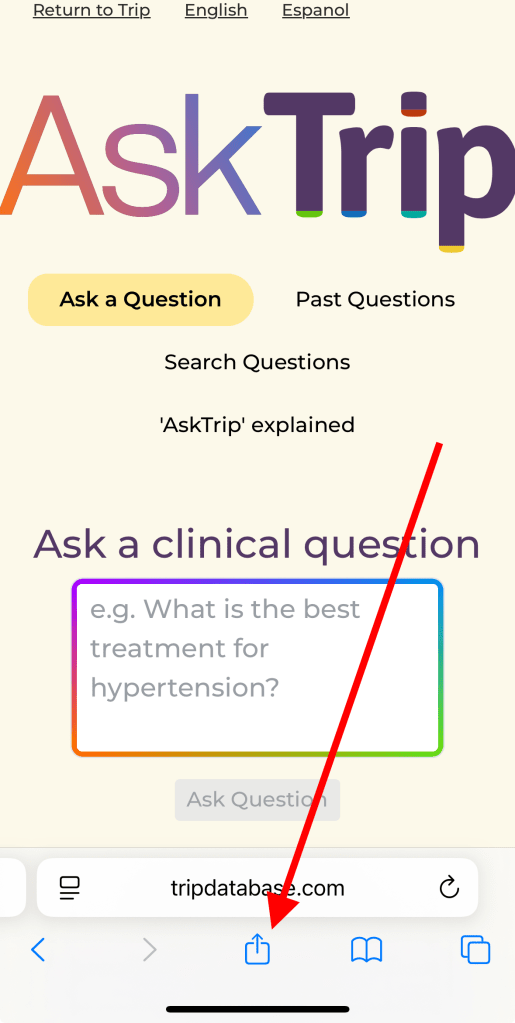
Step One – open Safari (or your preferred browser) and navigate to AskTrip:

Step Two – if you don’t see the Share icon at the bottom of Safari, scroll or swipe up slightly and it will reappear. Tap the Share icon:
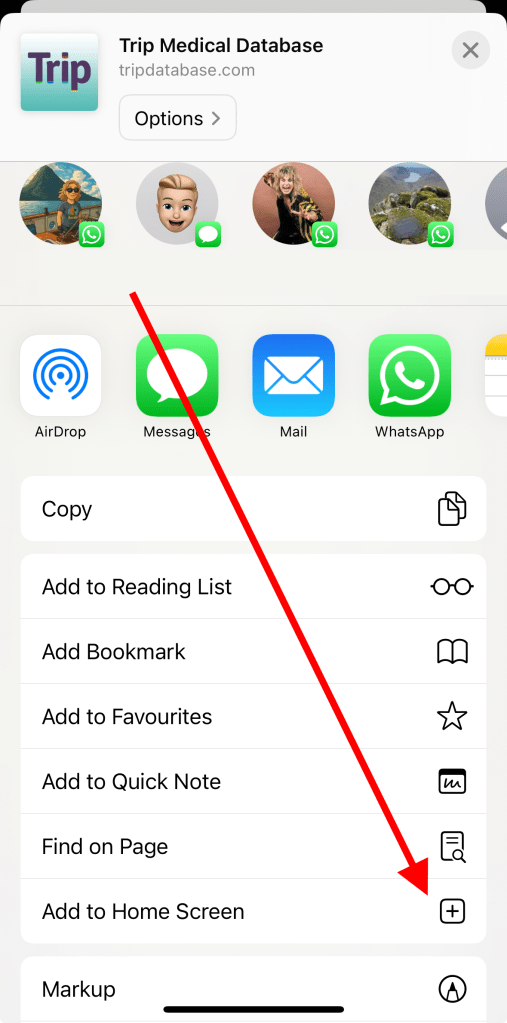
Step Three – in the menu that appears, scroll down and tap Add to Home Screen:
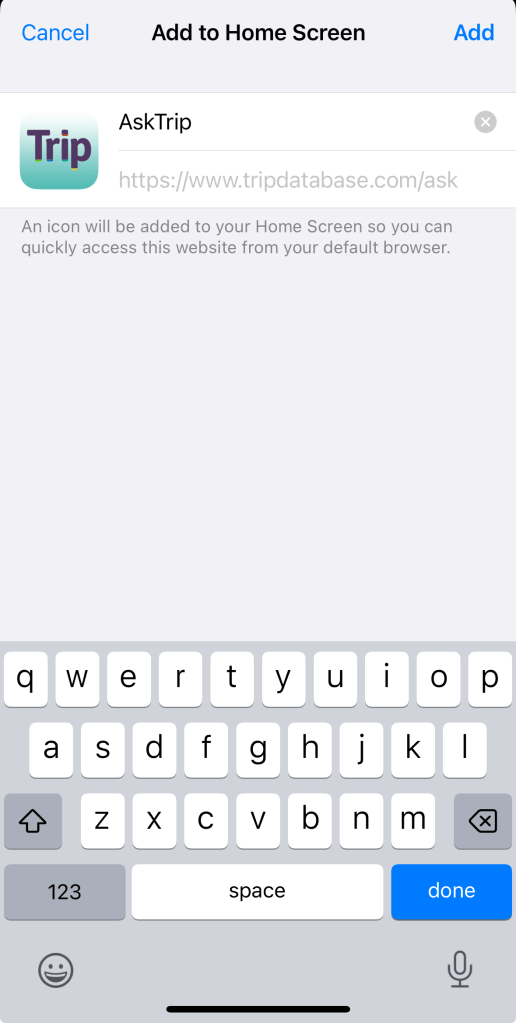
Step Four – The default name will appear as Trip Database. You can rename it to AskTrip before pressing Add. Note: We’ll be adding the AskTrip icon soon — for now, you’ll see the Trip icon.
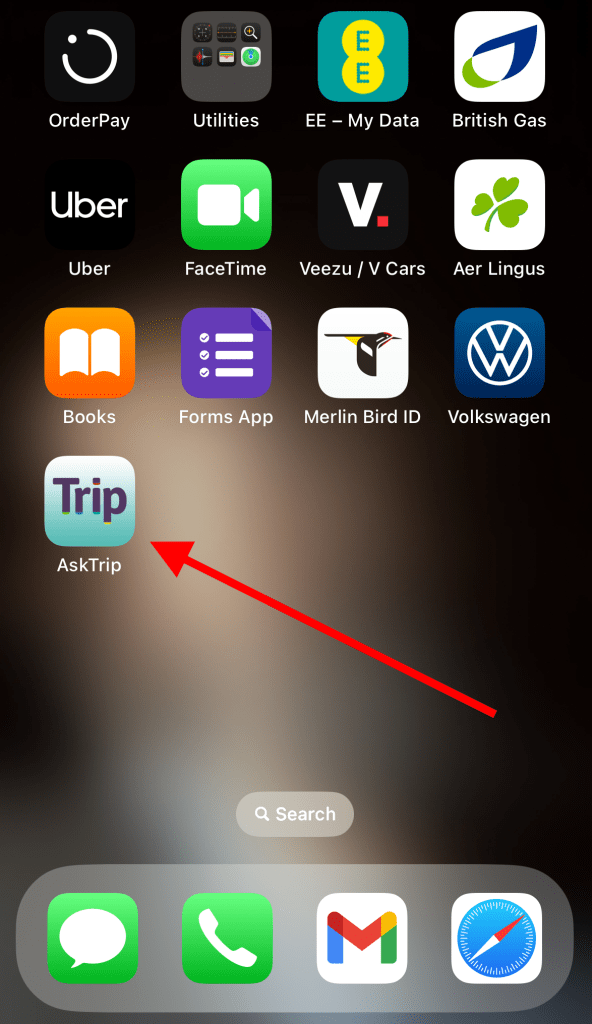
Step Five – That’s it! AskTrip will now appear on your home screen. Tap it anytime to launch – just like any other app.
Android Instructions
The process is similar:
For Android (Chrome)
- Open AskTrip in Chrome.
- Tap the ⋮ menu (top right).
- Select Add to Home Screen or Install App.
- Tap Add (and confirm if prompted).
✅ Done! AskTrip now launches in full-screen mode.

 Trip Database Blog
Leave a comment