Search

Trip Database Blog

Liberating the literature

Author

jrbtrip

What do people look for on Trip?

Another output from the Horizon 2020 funded KConnect project, this time led by the Vienna University of Technology.  This new system allows us to see what people are looking at based on clinical area.  Below are the top results from three separate clinical areas (based on 2-3 weeks worth of data):

Dentistry

  • Flossing for the management of periodontal diseases and dental caries in adults
  • The efficacy of dental floss in addition to a toothbrush on plaque and parameters of gingival inflammation: a systematic review
  • The Efficacy of Brushing and Flossing Sequence on Control of Plaque and Gingival Inflammation.

Cardiology

  • Management of patients with stroke: rehabilitation, prevention and management of complications, and discharge planning
  • Blood pressure monitoring
  • Chronic Heart Failure – Diagnosis and Management

Mental Health

  • A systematic review of the clinical effectiveness and cost-effectiveness of sensory, psychological and behavioural interventions for managing agitation in older adults with dementia
  • Comorbidity of mental disorders and substance use
  • Evidence based guidelines for the pharmacological management of substance abuse, harmful use, addiction and comorbidity

This data is important as it indicates what clinicians are looking for; it indicates what clinician’s uncertainties are.  Often people plan new research, reviews or educational products based on assumptions.  With this data it can be more evidence-based!

One graphic to finish with.  Take the data for cardiology (not just the top three) and transform it to a tag-cloud:

Cardiology tag cloud

Steps away from better search results

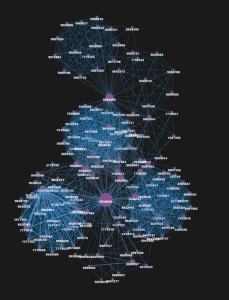
When users interact with Trip we capture what they’re doing – the search terms, articles clicked etc.  Previously I have shown how we can map this data using this stored (clickstream data).  Below is a map of articles relating to urinary tract infection (UTI):

UTI large map annotated

You can see, from the annotation, that similar articles cluster (bottom left is a cluster of articles on UTI and cranberry).  To better understand how we create these graphs see these two articles:

I’ve been working with this data for a while and uses keep appearing.  One that is very attractive is in improving search results.  For the sake of argument let’s say the articles in the image above (indicated by individual nodes in the image above) are evenly spread in the top 2-3 pages of search results in Trip.

As soon as a users makes their first click they are telling us where they are, in  relation to their interest/intention, in the map of articles (see below):

UTI large map for Sept 2016 blog

Using the above example a user clicks on an article in the bottom left of the image (in a cluster of articles on UTI and cranberry) the chances are they are likely to be interested in others articles that are close by (1-2 ‘steps’ away).  This works on the same principle as normal maps – if you’re looking at a street map of New York and you’re looking at a particular road in, say, Brooklyn it’s likely that your immediate interest is in the area close by to that road as opposed to say the Mission in San Francisco.

So, could we create  a system that can allow users to re-order results as soon as they click on their first result?  Could we do this dynamically (no clicking)?  The principals seems sensible but as with most of these things it’s how to operationalise them that’s the key…!

Experiments in machine learning at Trip

At Trip we like to ‘muck around’ with new techniques to make the site even better.  Sometimes there is a clear reason and other times it’s just to explore these techniques to see what they can offer.  Currently we’re doing lots of work involving machine learning and recently we released our work on the automated assessment of bias in RCTs.  But a few other things we’re involved in:

Word2Vec: Completely speculative and I have no idea what the output will be (I believe that it looks for similarities and relationships between words/concepts).  This is working with Vienna University of Technology (TUW) as part of our Horizon 2020 funded KConnect project.  There is loads of hype around this technique so we thought it was too good an opportunity to not get involved.

Learning to Rank: Again with TUW this is a much more understandable technique.  It is a machine learning technique used to improve the search results.  It’s one of a number of algorithm tweaks we’re attempting and all will be thoroughly tested using interleaving or A/B testing (probably the former).

Document summarisation: Another speculative venture.  Yesterday I saw that Google have opened up something called TensorFlow to support document summarisation.  This is something I’ve been interested in for a while so I contacted my freelance machine learning contact and we agreed to give it a go (he did most of the work on our 5 minute systematic review system).  I’m not sure how document summarisation fits in with Trip but seeing outputs can only help me figure it out.

Hopefully we’ll start seeing results on all these projects before the end of the year.

One important thing to point out (and something I relish) is Trip’s ability to get involved in these projects and get things moving quickly.  The document summarisation work was set up within 12 hours of seeing the announcement of the TensorFlow being opened up (I’d never even heard of it before).  One can only imagine the bureaucratic steps a large organisation would need to go through to even start considering these ground-breaking initiatives.

Trip plays an important role in the health information retrieval ecosystem as we are so innovative.  Larger, better funded, members of the ecosystem observe and copy/adopt where we succeed. It’s classic diffusion of innovations.   I much prefer being at the front of the adoption curve!

Search suggestions

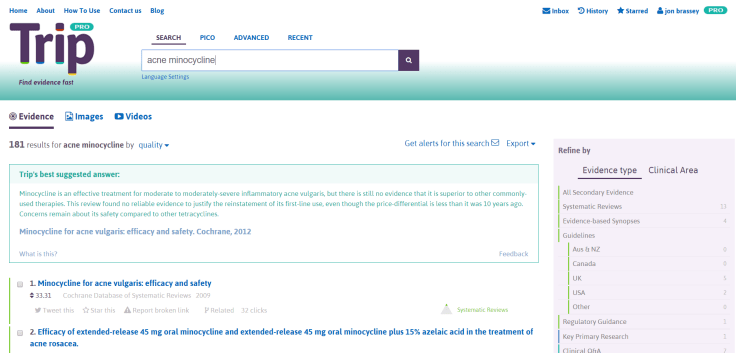
In our recent poll the feature most users wanted to see was a search suggestions function.  Well, we’ve delivered on that and it is freely available on Trip.

Search suggestions

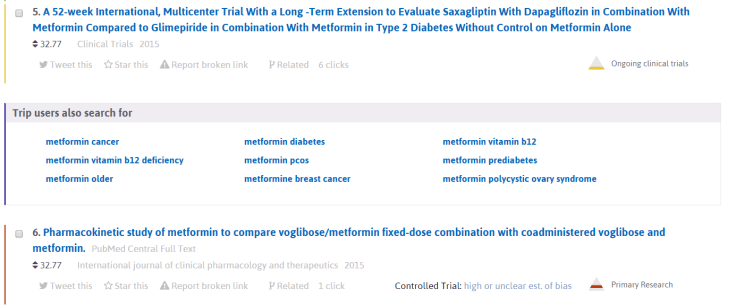
In the image above you’ll see the search suggestions to the right of the search box. The user has done a simple search and we’ve made a number of suggestions to help the user formulate a more focused search.  Clicking on one of those suggestions, for example, ‘breast cancer’ results in a new search for ‘breast cancer’ and further search suggestions, the top ones being:

  • breast cancer screening
  • negative breast cancer
  • breast cancer therapy
  • breast cancer treatment
  • triple negative breast cancer
  • breast cancer metastatic
  • breast cancer risk
  • breast cancer radiotherapy

So, it’s a really simple system to get better search results.  In addition our system is available as you start typing your search in the search box.

The search results system has been created as part of our involvement in the KConnect project (funded via the EU Horizon 2020 scheme).  The team at the Institute of Software Technology and Interactive Systems, Technische Universität Wien (Vienna University of Technology) have taken search suggestions from two sources:

  • PubMed – they have a system which we’ve used for a number of years (but restricted to a user typing in the search box).  This has never been satisfactory and always seemed a bit ‘dry’ – hence wanting to improve on it.
  • The Trip search logs.  Users search Trip thousands of times a day and we start to build up a picture of terms that go together.  We can mine this data to come up with potential search suggestions.

And, being evidence-based, we’re mixing the search suggestions and recording which get clicked.  So, will our users prefer PubMed or search log suggestions?  Either way, the results will help inform future developments of the system.  But, as it stands, the mix is already much better than the PubMed suggestions alone.

The one obvious improvement to make is the design – as it’s fairly poor.  But that will have to wait till we roll out our next new feature – mis-spelling (the second most wanted new feature requested in the poll).  This is near to being released and again has been created with the help of the team at the Institute of Software Technology and Interactive Systems as part of the KConnect project.  When that’s released we’ll get our designer involved to make it look seamless.

Trip, making search simple!

New feature: automated assessment of bias

I love it when we roll out new features and few have been as significant and innovative as this one.  Over the last few months I’ve been working with the wonderful team at RobotReviewer to introduce two major improvements to Trip.

Identification of RCTs.

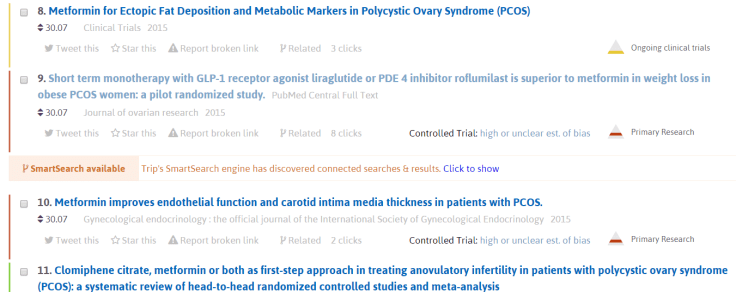
Trip has featured a search results category called ‘Controlled trials’ for years.  To identify trials we used a filter to highlight trials in PubMed and imported them in to Trip.  This used a series of keywords and was good at identifying trials but was also prone to identifying a number of other articles that were not trials.  In other words there were a number of false positives (ie noise) and we invariably missed a few trials as well.

RobotReviewer used machine learning to identify trials from Trip and it works brilliantly.  In internal tests our controlled trials is about 97% accurate, which is amazing.  The total ‘count’ of trials has dropped by over 200,000 which means they were incorrectly identified by the filter.  So, when using the controlled trials filter you’re significantly more likely to just find trials and avoid the noise of incorrectly identified trials!

Automatic assessment of bias.

Last year the RobotReviewer team published RobotReviewer: evaluation of a system for automatically assessing bias in clinical trials.  The paper concluded:

Risk of bias assessment may be automated with reasonable accuracy. Automatically identified text supporting bias assessment is of equal quality to the manually identified text in the CDSR. This technology could substantially reduce reviewer workload and expedite evidence syntheses.

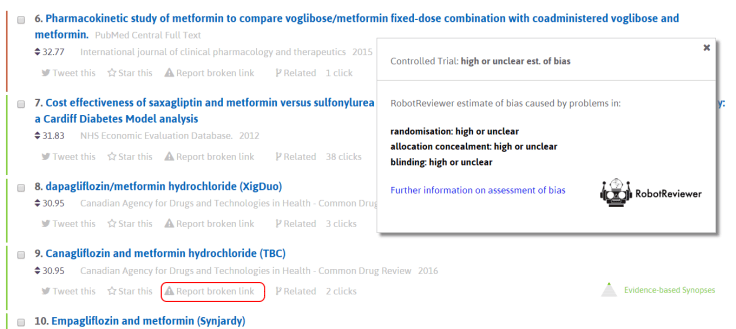
In short their techniques pretty much matched human ability in assessing bias.  Now, in conjunction with Trip, they have extended their techniques to work on the controlled trials that Trip has: abstracts.  With very little loss of accuracy we have just released this feature (see their blog for more technical details).  In this first image it shows what to expect:

RR1

The ‘Estimate of bias…’ is clickable to reveal:

RR2

This is a significant moment for Trip and I’m delighted that we have this feature.  Assessment of bias is not most people’s idea of fun and if we can help reduce the barriers to using evidence – which we have with this feature – then everyone should be delighted.

Quick update

There are lots of things going on in the background and these will start to become visible over the next six months (some very soon).  To give a flavour of what we’re currently working on:

  • Using machine learning to better identify controlled trials for inclusion in Trip.
  • Using machine learning to assess for potential bias in controlled trials included in Trip.
  • The answer engine is slowly creeping towards a robust testing version.  Version 1 was available 4 months ago but we wanted to make it even better so we have re-built it from the bottom up.  I’m confident it’ll be worth the wait.
  • Search suggestions – an improved drop-down search suggestion feature PLUS a new post-search search suggestions feature.  So, if you conduct a search we’ll display a number of related searches that you might prefer to use to give a more focused search.
  • Improved search algorithm – this is a really exciting development and we’ll be using a number of cutting edge technologies to improve the search results.  These will all be tested to ensure we get the optimal balance.

And, when the above are all finished, we’ll move on to our Q&A community idea….!

Poll results

With just shy of 500 respondents the results of our poll are as follows:

Question 1: Why do you use Trip? (showing all results that scored at least 10%)

  • To find out what the latest research is for a given topic – 24%
  • To answer a clinical Q (raised by patient care but not answered at same time) – 18%
  • I’m an information specialist using Trip to support a health professional – 16%
  • To answer a clinical Q at the point of care – 12%
  • I’m an information specialist carrying out a review (eg to find latest evidence) – 11%
  • I’m a researcher undertaking a review to support a paper and/or research bid – 10%

Question 2: How would you best like to pay for Trip Pro?

  • I’ll get my institute to pay – 34%
  • I’ll never pay for Pro – 32%
  • Annual payment (currently the only option for personal use) – 23%
  • Monthly payment (a proposed alternative for personal subscribers) – 11%

Question 3: What new features would you like to see on Trip?

  • Search suggestions (after a search we suggest additional search terms to help focus the search)? – 35%
  • Mis-spelling function (to detect and correct spelling mistakes)? – 19%
  • Better point of care support (eg adverse drug event, interactions) – 14%
  • Better search results – 10%

Comments:

Question 1: Surprised by the proportion that use Trip as a point of care tool.  Also, the top reason for using Trip is to locate the latest evidence.  I think we can improve on that!

Question 2: No surprises!

Question 3: Delighted with the top four as we’re working on all 4 of these.  In fact we should be testing the top one shortly.

Question time

Every now and then we like to reach out to our users to try and get insight in to what can help make Trip better.  So, if you don’t mind can you answer these few questions below (tick all the boxes that apply).

These user surveys are important as they help understand how our users would like Trip to develop.  Trip is so much better with user input!


Why you use Trip


New features


Payments for Trip Pro


Finally, we are exploring creating a Trip Community Q&A system.  So, if a user can’t find an answer via Trip they would be able to post the question to the Trip Community.  If you are interested in helping develop this idea then please contact us via community@tripdatabase.com.  This will not involved much work, simply a way for us to ask your views on how we can best develop a useful system.


Images – easily find articles that are free to use

Medical images on Trip has just got even more useful!  A Twitter user suggested a great feature would be to restrict the images to those that are freely available to use.  In other words, those with liberal (or no) copyright restrictions.  As you’ll see in the image below we have a new tick box, “Only show images that are free to modify, share and use

Images

NOTE: Pro feature only.

Blog at WordPress.com.

Up ↑